
Air Microphone3.1 - App Store
You'll be able to see results in few seconds.
Publisher Description
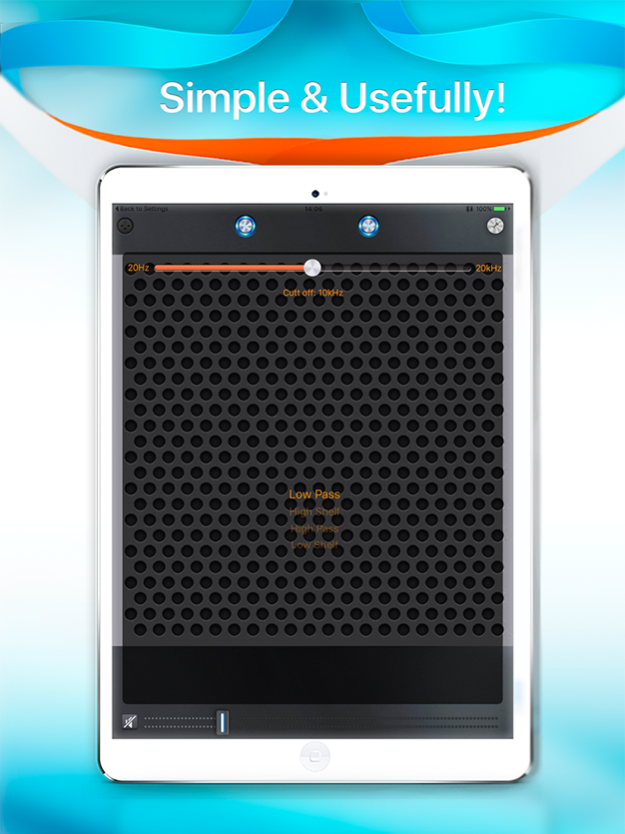
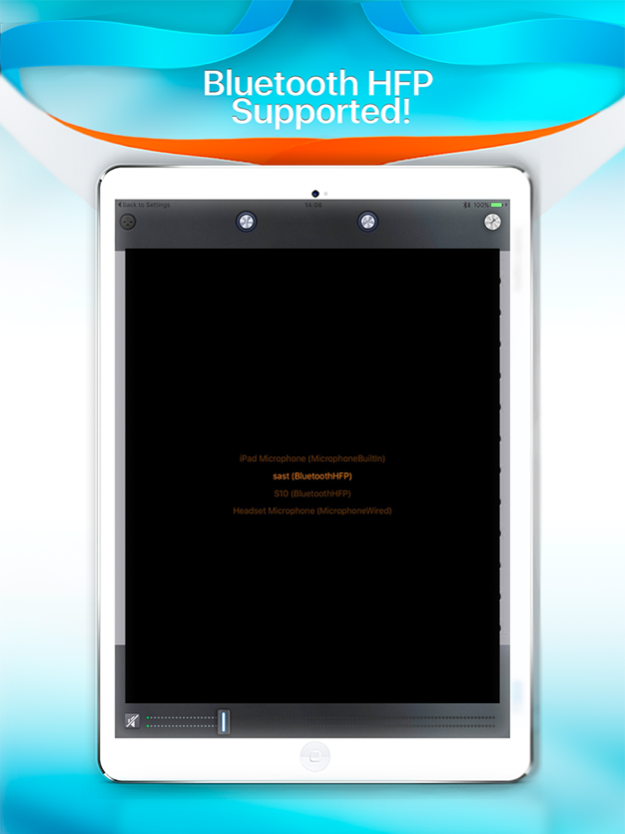
Turn your iPhone into a microphone for presentations, speeches and more!
▶ More than just an emergency microphone! ◀
Easily connect to Bluetooth, use a plug-in microphone or go ahead with the built in microphone.
Output your signal via Bluetooth HFP, Apple TV (some AirPlay) or direct out (earphone connector).
Choose what serves you best!
With Air Microphone, you have a small yet powerful toolbox for any Power Point presentation, instant speech, conference and more right in your pocket!
The new Limiter serves as automatic problem solver by cutting excessive peak levels, built-in shelving filters allow to cut off unwanted noise or boost important frequencies.
Air Microphone is the ultimate and easy to use fallback solution for speeches, presentations and more.
For any situation where you need to be heard, grab your iPhone or iPad and connect it to Apple TV or Bluetooth.
To use the Air Microphone app you need:
• iPhone or iPad
• AppleTV / AirPlay
• Air Microphone App
Additional options are available:
• Use the microphone or headset of your choice if preferred
• Connect to an external Bluetooth speaker is this is your preference
The setup is quick and easy. It is a straight forward procedure as to expect from Apple TV.
Fast and reliable - no unnecessary hassle when you are under pressure anyway.
There is not much you can do wrong with Air Microphone.
Easy and hassle free setup - extremely important when you are in a hurry anyway after everything else has failed!
Here are a few hints that always apply when working with microphones and acoustics. Read this carefully, it's a good thing to know anyway!
• Adjust the volume with the slider. Be loud enough to be understood, but not as loud to create feedback. Keep in mind: the louder you are, the bigger the chance of feedback occurring!
• In case of Feedback, reduce the volume with the slider.
• Use the Limiter to avoid excessive peaks
• Use the filters to cut or boost high frequencies and low frequencies
• Do not stand in front of the speaker with the Microphone. Feedback will occur when the sound from the loudspeaker travels directly into the microphone.
• Adjust positions of loudspeakers and microphone to find the best working solution. Placement of both loudspeakers and microphone has a big impact on sound quality!
The Air Microphone app does not replace a professional setup. But it costs much less and the setup is much faster. And more important: you carry your iPhone with you anyway! It even comes with an equalizer to make some rough adjustments.
And while you are at it, why don’t you share a picture or two since you are connected to AppleTV anyway! You can do that with Air Microphone.
Get the Air Microphone app now. Who knows when you will hold the next emergency speech!
Drop us a line for feedback and suggestions, we like to hear from you!
And if you like this app, a good rating is always welcome.
Sep 13, 2016
Version 3.1
This app has been updated by Apple to display the Apple Watch app icon.
New Routing implemented for iOS10
About Air Microphone
The company that develops Air Microphone is Harry bachmann. The latest version released by its developer is 3.1.
To install Air Microphone on your iOS device, just click the green Continue To App button above to start the installation process. The app is listed on our website since 2016-09-13 and was downloaded 0 times. We have already checked if the download link is safe, however for your own protection we recommend that you scan the downloaded app with your antivirus. Your antivirus may detect the Air Microphone as malware if the download link is broken.
How to install Air Microphone on your iOS device:
- Click on the Continue To App button on our website. This will redirect you to the App Store.
- Once the Air Microphone is shown in the iTunes listing of your iOS device, you can start its download and installation. Tap on the GET button to the right of the app to start downloading it.
- If you are not logged-in the iOS appstore app, you'll be prompted for your your Apple ID and/or password.
- After Air Microphone is downloaded, you'll see an INSTALL button to the right. Tap on it to start the actual installation of the iOS app.
- Once installation is finished you can tap on the OPEN button to start it. Its icon will also be added to your device home screen.
Program Details
System requirements
Download information
Pricing
Version History
version 3.1
posted on 2016-09-13
Sep 13, 2016 Version 3.1
New Routing implemented for iOS10
version 3.1
posted on 2016-09-13
Sep 13, 2016 Version 3.1
This app has been updated by Apple to use the latest Apple signing certificate.
New Routing implemented for iOS10
version 3.1
posted on 2016-09-13
Sep 13, 2016 Version 3.1
This app has been updated by Apple to display the Apple Watch app icon.
New Routing implemented for iOS10
version 3.1
posted on 2013-04-09
version 3.1
posted on 1970-01-01
2016年9月13日 Version 3.1
New Routing implemented for iOS10
Disclaimer
Official App Store Link
We do not host Air Microphone on our servers. We did not scan it for viruses, adware, spyware or other type of malware. This app is hosted by Apple and passed their terms and conditions to be listed there. We recommend caution when installing it.
The App Store link for Air Microphone is provided to you by apps112.com without any warranties, representations or guarantees of any kind, so access it at your own risk.
If you have questions regarding this particular app contact the publisher directly. For questions about the functionalities of apps112.com contact us.
